Free page history & content change tracker for Chrome & Edge
See exactly how webpages change.
Discover what competitors add, remove and rewrite. Explore past versions, track pages for new updates, and compare every change side by side.
Free · No account · Comparisons run in your browser
Why Post Recon
Your competitors keep updating their content. Know what changes.
The Wayback Machine shows you the old page. Post Recon shows you the difference, so you can research, audit and report with evidence.
Research competitor updates
See which sections competitors add, remove and rewrite on their key pages.
Learn how top content evolves
Follow the structural and editorial changes behind pages that keep winning.
Audit and document refreshes
Check what your own update changed, and share the before and after.
More ways to use it
- Follow a page through URL changes
- Recover copy, headings and links that were cut
- Turn an update into a client-ready report
- Compare pages before and after a Google update
- Catch what a migration or redesign dropped
- Spot backlinks a page removed
- Catch quiet edits to news, reviews and announcements
How it works
See what's added, removed and rewritten
Don't just see the old page. See what's new, gone and rewritten, section by section.
- Click the toolbar button on an article.
- Read the score for the text, title, description, H1 and URL.
- Open the comparison for sections, words and both pages.
- Counts at a glance New, removed, rewritten, expanded and renamed sections show whether it was a tweak or a rewrite.
- Article structure Both versions mapped side by side, coloured by change. Click a colour to filter.
- Product roundups too “Ease of Use” under each product stays with its own product.
Text changes
Every edit, side by side
Removed words in red, added words in green, with the page's title tag, meta description, H1, headings, links and URL compared too.
- Word by word Unchanged paragraphs fold away, so only the edits are left to read.
- SEO metadata Title tag, meta description, H1, headings and links, before and after.
- Content only Menus, banners, jump-to menus and related posts are left out.
What counts as a change? The rules Post Recon uses
- The main article: the content area that holds most of the page's text
- The H1 and its banner, such as the author and date
- Headings, paragraphs, lists, tables, quotes and image alt text
- Title tag, meta description, H1 and URL, reported on their own
- Links inside the article, listed as added or removed
- Menus, site header and footer, sidebars, forms, jump-to menus and tables of contents
- Cookie banners, newsletter boxes, share and follow buttons, pop-ups
- “Related”, “recent” and “read next” post lists
- Formatting: bold text, capital letters, curly vs straight quotes, a changed link address alone
- Blank, error and bot-check captures, which are skipped
Text changed = words added or removed (whichever is more) ÷ words in the longer version.
5% or more is a big change. Smaller edits, and changes to the title tag, meta description or H1, still count as changes.
Sections are split at H2/H3 headings and matched within their parent section, even when renamed.
Page view
See the page before and after
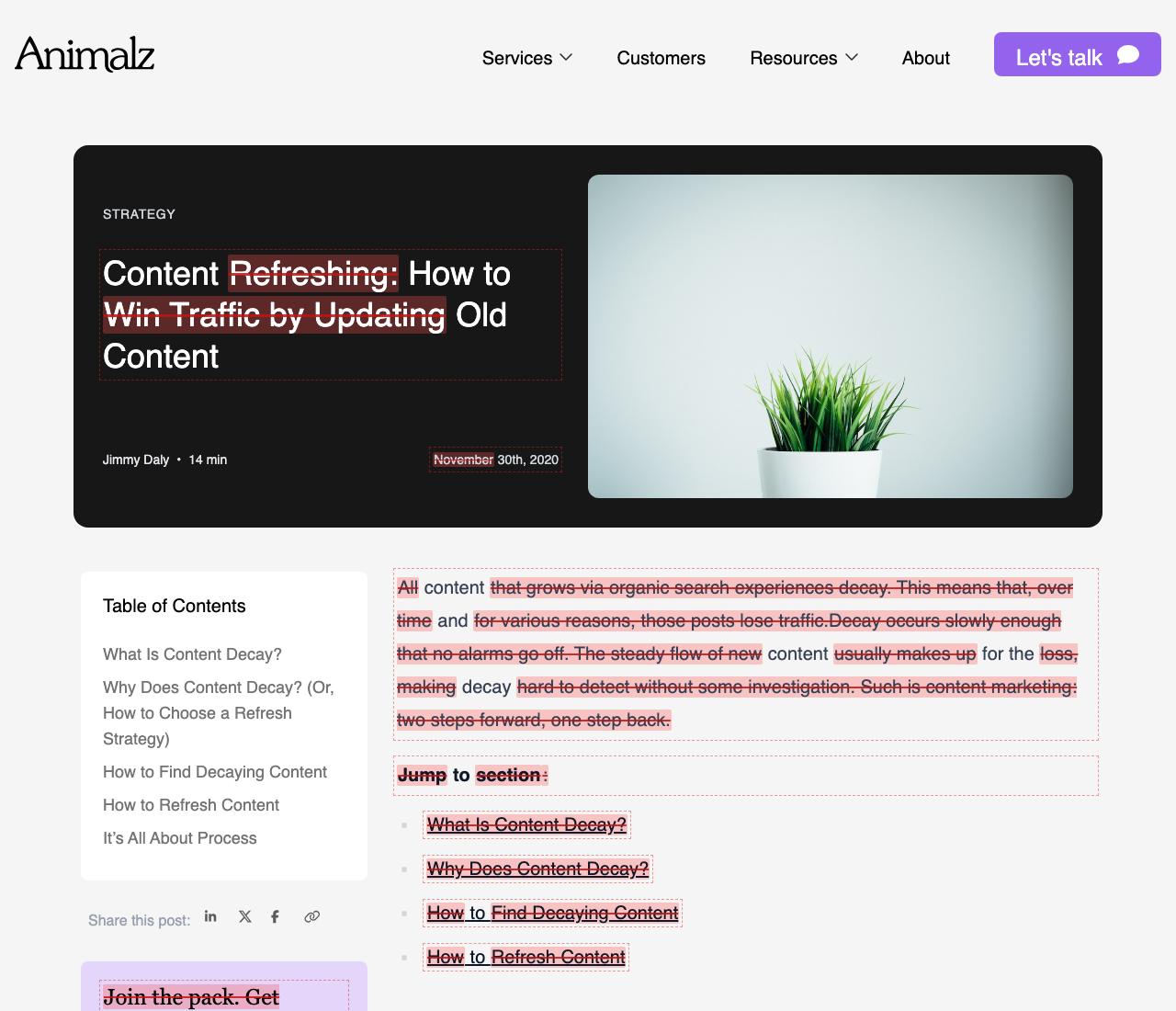
Both versions rebuilt as they looked, with every change marked on the page. Scroll them together, or slide between them.
- Side by side or slider At desktop, tablet or phone width, scrolled together.
- Changes on the page A bar above each page marks its changes. Click one to jump there.
- No pop-ups in the way Cookie banners and sign-up boxes saved with a page are hidden.

Version history
Follow how a page evolves over time
Not just the last update: years of archived versions, with the ones that changed the content marked.
- Scan history Check every archived version once and see which ones changed the content, and by how much.
- Any two versions Compare any pair, including the live page. Pick one from the list, or drag B and A along the timeline.
- Dates you can trust The date each version claims, next to the date it was archived. Archive dates show when a page was saved, not when it was edited.
Track website changes
Know when the pages you care about change
Track changes on any webpage, or on the pages you visit across a competitor's site. Post Recon keeps a version each time you visit and checks once a day while your browser is open, so you hear about rewrites without checking by hand.
- Click Track in the popup, for the page or the whole site.
- Browse as normal. Each visit keeps a version if the page changed, and it's checked once a day.
- Watch for the badge. A number on the toolbar icon means a page changed since you last looked. There are no emails or pop-up notifications.
Open the popup on a changed page and it compares the page with the version you last saw. Your browser asks before Post Recon reads a site you track, and the versions stay on your computer.
Privacy
Private by design
Comparisons run in your browser, and nothing is sent to 8-Bit Content.
- No account, tracking, analytics or ads. 8-Bit Content runs no server for the extension.
- Only when you click. The page's address goes to the public archives to find its versions. Its content stays on your computer.
- Page view loads pages as your browser would, with their images and styles from the archive or the site itself.
- Your data stays local. Search results and web apps are skipped, and “Delete all data” removes everything stored.
FAQ
Questions, answered
Is it free? Do I need an account?
It's free to use, with no account. Post Recon is made by 8-Bit Content, a content strategy and SEO studio, as a tool we use ourselves. The archives it reads have their own rate limits, so a long history scan runs at a steady pace.
How do I track changes to a webpage?
Open the page, click the Post Recon button, and click Track (for that page, or for the pages you visit on its site). Post Recon keeps a version each time you visit, checks once a day while your browser is open, and puts a number on its toolbar icon when the page has changed since you last looked. Open the popup to see what changed. It doesn't send emails, and it only reads sites you choose to track. Pages you don't track can still be compared with the copies web archives already hold.
What kinds of pages does it work best on?
Public articles, guides, product roundups, landing pages and other content-heavy pages. Web apps, pages behind a login and heavily scripted pages often aren't archived well, or don't have one main article to compare.
Will it find older versions of every page?
Only of pages that have been archived. The Wayback Machine and other archives save popular pages often, but smaller sites, new pages and pages behind a login much less so (or not at all). Post Recon checks the Wayback Machine, Arquivo.pt, Ghostarchive and the UK Web Archive automatically, can search Common Crawl when you ask, and lets you save your own snapshots so there's a version to compare against from now on.
Do the dates show when a page was edited?
Not exactly. An archive date is when the archive saved the page, so an edit happened somewhere between two saved versions. Post Recon also shows the “last updated” date each version gives itself, when it has one.
How is the “% of text changed” worked out?
Post Recon pulls out the article itself, leaving out menus, footers, sidebars and related-post lists, and compares the two versions word by word. The score is the share of the article's words that were added or removed, out of the longer of the two versions. 5% or more counts as a big change. See what counts as a change for the full rules.
Which version does it compare against?
If the page shows a “last updated” date, Post Recon compares with the last archived copy from before that date, so you see what the update changed. Otherwise it uses the newest archived copy. You can pick another version in the popup, or any two versions in the comparison tab, including the live page.
Can it follow a page that changed its URL?
Yes. If a page says it was updated but its current address has no archived copy from before then, Post Recon looks for likely old addresses on the same site that now redirect to it, compares the archived copy of the old address, and tells you the URL changed. You can also search the archive for similar addresses with “Find old addresses”.
Why does it say a copy is a “blank or bot-check page”?
Archives sometimes save a security check, an error page or an empty page instead of the article. Post Recon spots these and tries an older copy, rather than showing a misleading percentage.
My company blocks web.archive.org for extensions. Will it work?
Mostly, yes. Post Recon has a limited mode for browsers where an organisation policy blocks extension access to the Wayback Machine: it finds about one version per month and reads them through your downloads folder. The first time, it tells you how to switch on “Allow access to file URLs” for the extension. In Edge, the downloads menu opens for each copy it reads; to stop that, switch off “Show downloads menu when a download starts” in Edge’s settings.
Does it work in Edge, Firefox or Safari?
It works in Google Chrome, Microsoft Edge and other Chromium browsers: install it from the Chrome Web Store. Firefox and Safari aren't supported yet.
Can you help update my pages?
Yes, that's what we do. 8-Bit Content plans and runs content refreshes for sites that want their best pages back on top. Check your site for quick wins.
Where can I report a bug or suggest a feature?
Email will@8bitcontent.com, or leave a review on the Chrome Web Store.